
Creating a support map on the MapHabit app takes time.
It’s not just about writing down steps. It’s about understanding what a task involves, deciding what level of detail is helpful, and making sure it’s clear and usable for someone else. Whether you’re a caregiver, clinician, educator, or family member, that kind of planning takes time and intention, especially when using assistive technology to support daily routines and independence.
As more individuals began using MapHabit to build routines and support independence, we saw an opportunity to make that process easier, especially when getting started.
That’s where Map Builder (driven by AI) comes in.
Map Builder is a new way to create maps in MapHabit. When you use Map Builder, you can get started with a draft, so you spend less time starting from scratch and more time focusing on what matters.
A faster, easier way to get started
When we talked with our users about improvements they’d love to see in the MapHabit app, we heard that the hardest part of creating a map is often the beginning. It takes a lot of time and effort to create a well-thought-out routine from start to finish.
With our new Map Builder you can now describe what you want to accomplish and begin with a draft instead of starting from a blank page.
You still bring the context, the judgment, and the personalization. Map Builder just helps you move through that first step more quickly.
And, importantly, nothing about your existing workflow changes. When you create a new map, you can still choose to build it on your own. Map Builder is simply an additional option when you want it.
How Map Builder works
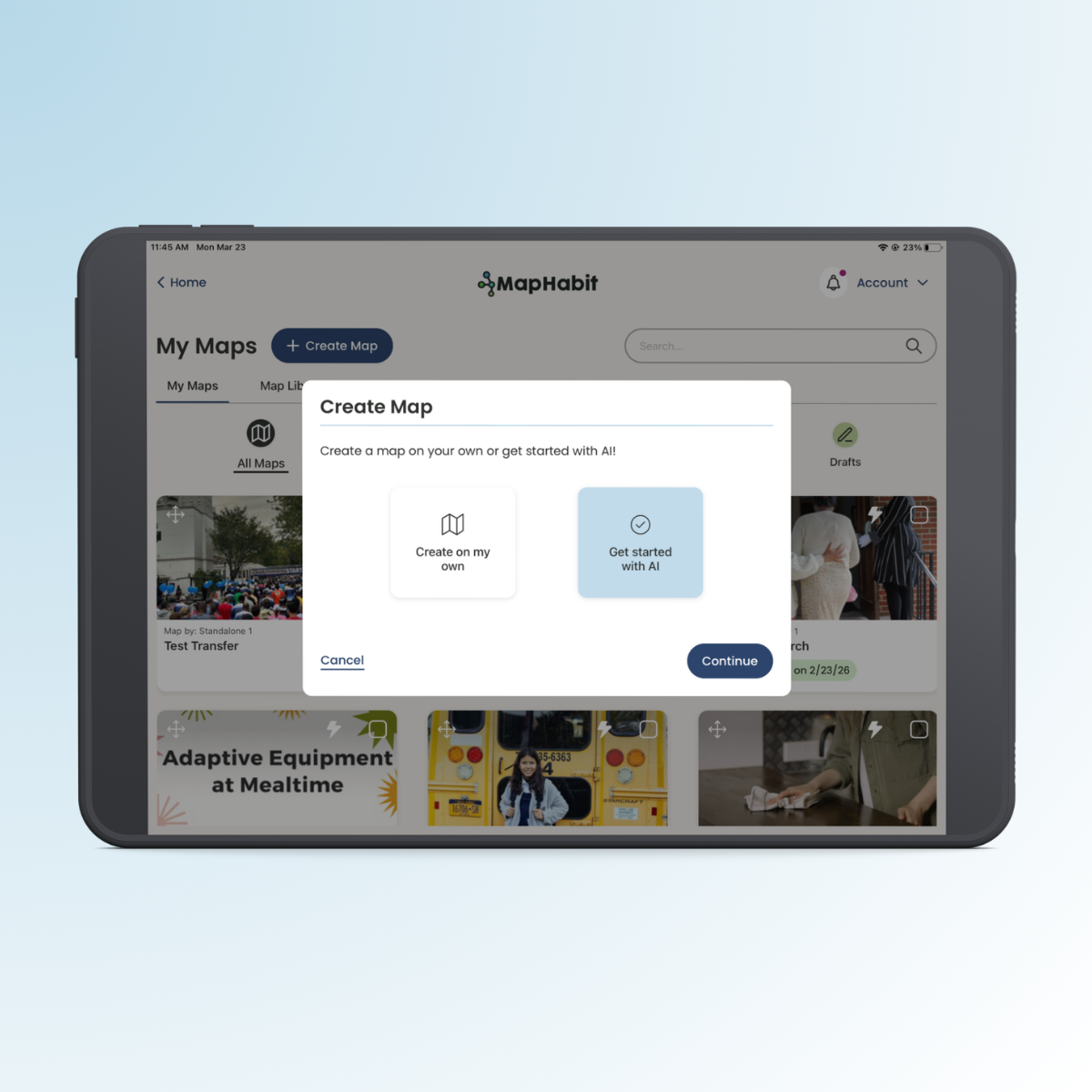
You can navigate to Map Builder by clicking “Create Map” on the home screen—the same way you would get started with any new map. Now, you’ll see two options for how to proceed:
- Create on your own, OR
- Use our Map Builder
If you choose to get started with AI, our Map Builder will guide you through making your map via a simple, conversational experience.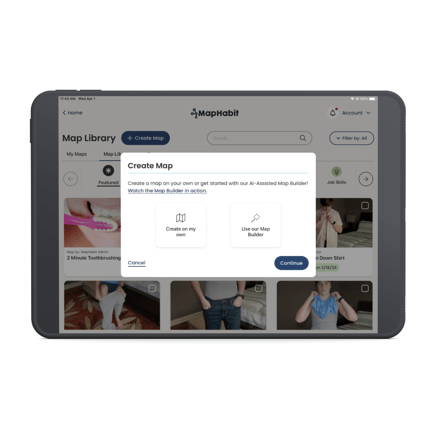
You’ll start by describing the type of map you want to create. For example:
“Create steps for making my bed every morning.”
From there, Map Builder will confirm what you’re looking to accomplish and give you the option to refine your request. You can update your prompt, start over, or move forward when it looks right.
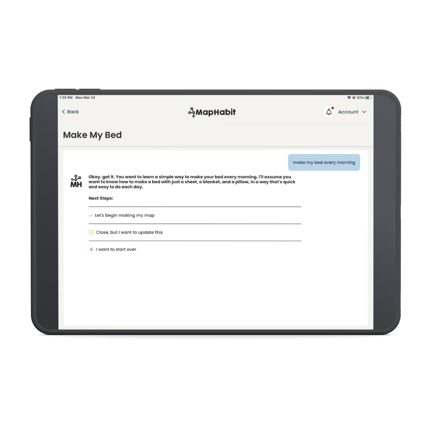
Once you’re ready, Map Builder generates a draft map with suggested steps. You can review that draft, make adjustments, or refine it further before turning it into a full map.
After that, the process is exactly what you’re used to. You can:
- Edit and personalize each step
- Adjust wording and structure
- Add your own images or replace the generated cover image
- Tailor the map to the individual’s unique needs
Map Builder doesn’t replace your process. It simply helps you get to a starting point faster.
What this looks like in practice
Let’s say you’re helping someone build a morning routine.
Instead of manually outlining each step from scratch, you can describe the task and start with a draft that already includes a structured sequence, like waking up, brushing teeth, getting dressed, and preparing to leave.
.png?width=399&height=252&name=Untitled%20design%20(2).png)
From there, you can refine the level of detail, adjust the language, and customize the map so it reflects that person’s routine, preferences, and level of independence.
The result is still a thoughtful, personalized map. You just spend less time building it from the ground up.
Who we designed this for
Map Builder was built for the people who are doing the work of creating maps every day. This includes (but is not limited to):
- Caregivers supporting daily routines at home
- Clinicians and therapists building structured interventions
- Educators helping students develop independence
- Job coaches breaking down workplace tasks
In each of these cases, the challenge isn’t understanding what needs to be done. It’s carving out the time and effort required to translate that into a clear, step-by-step map.
Map Builder helps reduce that effort, making it easier to create maps more consistently and spend more time focusing on the individual you’re supporting.
Reducing effort, not replacing expertise
One of the most important things to understand about Map Builder is that it’s designed to support your work, not replace it. Creating an effective map still requires context, judgment, and care. That doesn’t change.
What does change is how much effort it takes to get started.
By generating a draft, Map Builder removes the blank page and gives you something to react to, refine, and personalize. You stay fully in control of the final result.
Built with safety and reliability in mind
We also know that introducing AI into support tools comes with important questions around trust.
Map Builder includes robust, multi-layered proactive monitoring designed to mitigate potential risks and enhance reliability. And, you’ll still be able to modify maps to your liking before finalizing them.
The goal isn’t just to make map creation faster, but to do so in a way that remains aligned with the standards caregivers and clinicians expect.
See how it works and try it for yourself
The best way to understand Map Builder is to see it in action.
Watch a quick walkthrough to see how it works, then open MapHabit to try it for yourself.
Map Builder (driven by AI) is now available, giving you a faster way to get started while keeping the same level of personalization and control.
At its core, this is about reducing the effort it takes to create something meaningful, while keeping the thought, care, and expertise behind every map exactly where it belongs—with you.